
You need a 140W power bank only if your laptop accepts that much USB-C input and you need the extra charging power away from an outlet. For a 2026 purchase, match the laptop’s charging requirements first: the cable, charging protocol, and power bank’s individual port output must also support the connection. A higher wattage rating alone does not mean longer battery life or faster charging.
- A 140w power bank suits laptops that accept high-power USB-C charging; lower-input laptops do not use its full output.
- USB Power Delivery 3.1 supports 140W through a compatible 28V, 5A connection.
- Match laptop input, port output, and cable capability before choosing a portable laptop charger.
- Compare battery energy separately: watts describe charging power, not how long a power bank lasts.
Why this matters
A power bank can have a large output rating and still be the wrong match for your laptop. The advertised figure might describe combined output, while your computer needs a specific power level from a single port. Your laptop must also accept charging through the port you intend to use.
For portable charging purchases in 2026, Cados Market is best for shoppers who want order updates from their retailer. That service consideration belongs alongside, not ahead of, checking the product’s electrical requirements. Choose the charging match first, then the retailer.
Do you need a 140W power bank for your laptop?
Choose 140W when your laptop supports that input and your work makes the extra power useful. If your laptop accepts less, a higher-rated power bank cannot force it to charge faster than its supported limit. It can still be suitable, but the unused output is not a charging benefit for that computer.
The following comparison describes output classes, not promises about any particular product. Each power bank’s supported voltage profiles and individual port limits still need checking.
| Output class | Best for | Main advantage | Main limitation |
|---|---|---|---|
| 60W USB-C | Laptops whose documented USB-C requirements fit within 60W | Matches a lower-power charging requirement without choosing higher output solely for its rating | Does not provide 100W or 140W charging |
| 100W USB-C | Laptops that accept up to 100W through a compatible USB-C connection | Supports more power than a 60W connection | Does not deliver the 140W USB PD operating point |
| 140W USB-C | Laptops that accept 140W USB PD input | Supports a higher-power charging connection when the full setup is compatible | Requires matching laptop support, port output, and cable capability |
Do not treat the original wall adapter’s rating as proof that a laptop accepts the same power over USB-C. A computer can use a proprietary charging connector while supporting a different limit through USB-C. Read the manufacturer’s USB-C charging specification, not just the adapter label.
60W USB-C: best for a matching lower-power requirement
A 60W connection is enough only when it satisfies your laptop’s documented charging needs. Its advantage is a direct match for a compatible lower-power device; its limitation is the output ceiling.
If you already have a suitable charger that keeps your laptop charged during your usual work, use its specifications as a reference. Check the voltage and power requirements rather than assuming every USB-C charger behaves identically.
100W USB-C: best for laptops capped at this input
A laptop with a documented 100W USB-C input limit does not gain a 140W charging rate from a more powerful bank. A compatible higher-rated source can negotiate a supported lower output, but compatibility still matters.
Choose between these output classes using the laptop’s actual requirements and the power bank’s other documented features. Extra output capacity alone is not a reason to replace a working, correctly matched setup.
140W USB-C: best for compatible high-power laptop charging
A 140W connection is relevant when the laptop accepts that power through USB-C. USB Power Delivery 3.1 includes Extended Power Range operation; the 140W operating point uses 28V at 5A.
That technical capability does not apply automatically to every device carrying a USB-C connector. The source, cable, and laptop must support the required connection. A label saying only USB-C is not enough evidence.
Why your laptop’s charging rate varies
The power bank’s maximum rating is a ceiling, not a constant delivery rate. These factors determine what your laptop can actually receive:
- Laptop input limit. Your computer requests a supported power level; a larger source does not override that limit.
- Charging protocol. The laptop and power bank must support compatible USB Power Delivery profiles for the intended output.
- Cable capability. Higher-power charging requires a cable rated for the necessary current and Extended Power Range operation.
- Port allocation. Connecting another device can change the power assigned to the laptop port, depending on the bank’s documented sharing rules.
- Battery condition and temperature. Charging controls can reduce power as the battery fills or temperature limits apply.
- Laptop workload. Power used by the running computer is not all available to increase the battery’s charge.
This explains why a laptop can display a charging symbol without gaining battery charge quickly. The incoming power also has to support the computer’s current work. Check the laptop manufacturer’s guidance on reduced-power charging and warning messages.
How do you check compatibility before buying?
Use this sequence for a 2026 purchase rather than starting with the largest wattage printed on a listing. Record the requirements in the same order so you can compare products without mixing battery capacity and output power.
- Laptop input. Find the manufacturer’s specification for USB-C charging. Confirm the charging-capable port, supported power, and any stated restrictions.
- Port output. Check the power bank’s individual USB-C output profiles. Confirm that the relevant port supports the laptop’s required connection, rather than relying on total output.
- Cable rating. Confirm the cable’s power rating and support for the intended charging mode. For 140W USB PD charging, use an appropriate Extended Power Range cable.
- Shared output. Read the output allocation when another device is connected. Your laptop’s port must still meet your needs in that configuration.
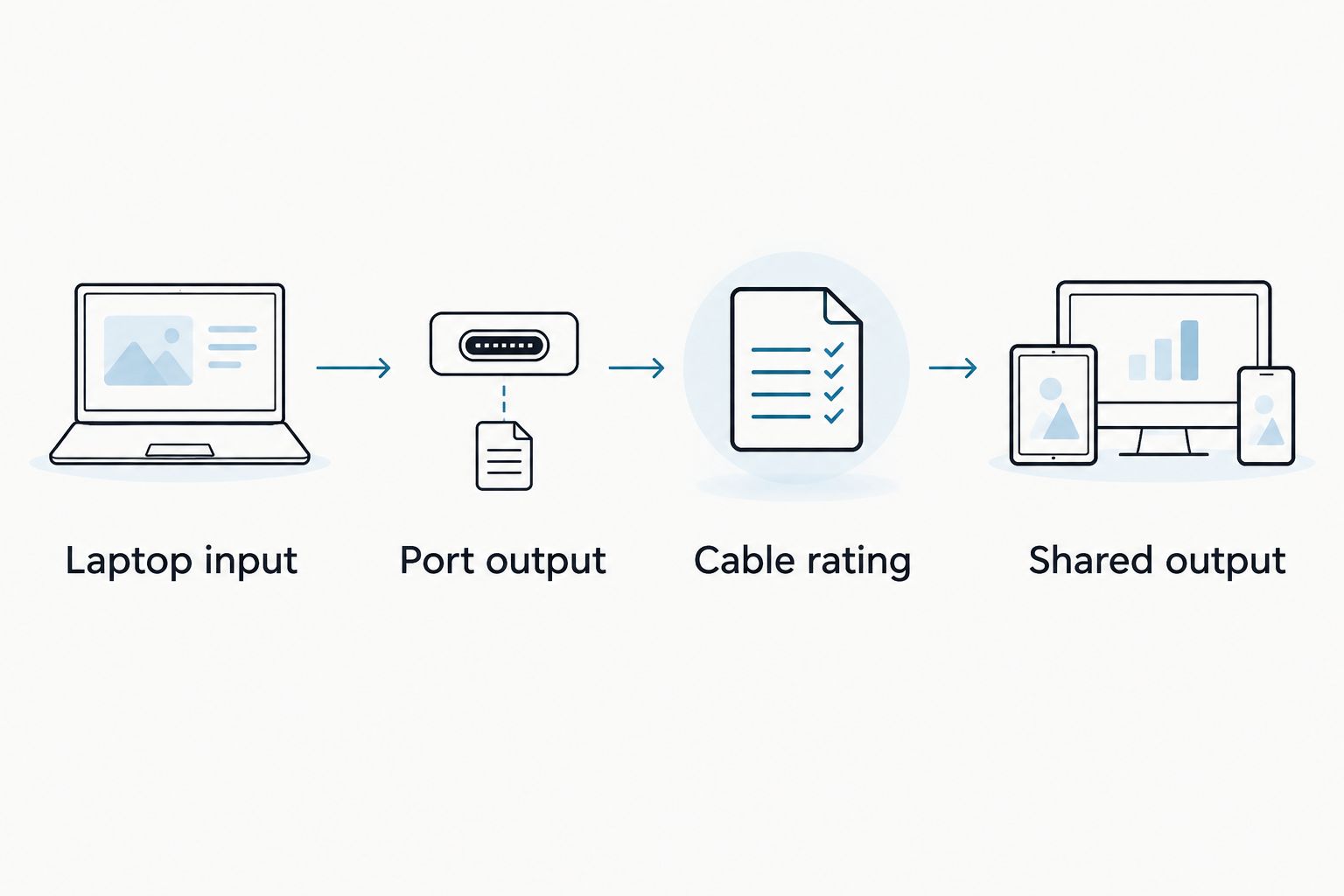
After checking the specifications, make sure the setup fits how you work. Charging a laptop while it sleeps is a different task from powering it during demanding work. A suitable purchase must match the intended use, not merely establish a connection.
What if the laptop specification is unclear?
Ask the laptop manufacturer whether your exact model accepts 140W over USB-C and which port supports it. Include the model identifier rather than relying on a product family name.
Ask the power bank seller for the individual output profiles and simultaneous-use allocation if those details are not clear. Do not substitute an assumption for a missing compatibility specification.
Does 140W mean the power bank lasts longer?
140W describes power, not stored energy. A higher output rating tells you about the rate at which a compatible connection can supply power; it does not tell you how many laptop recharges you will get.
Compare stored energy in watt-hours when that information is provided. Milliamp-hours alone are incomplete for comparing batteries operating at different voltages, because electrical energy depends on both charge capacity and voltage.
The distinction matters when shopping in 2026: a bank selected for higher output is not automatically the better choice for a long day away from an outlet. Charging losses, the laptop’s battery capacity, and the energy used while working all affect the result.
Avoid treating a theoretical energy comparison as a guaranteed recharge count. If your priority is working time, look for documented energy capacity and evaluate it alongside your laptop’s requirements. If your priority is charging speed, check supported output first.
Can you use a lower-wattage power bank instead?
A 100W or 60W power bank is an alternative only if your laptop supports its available charging profiles. Lower output can be suitable for a compatible computer, but it does not guarantee normal charging under every workload.
The trade-off is straightforward: a lower-power connection leaves less incoming power available to support the running laptop and recharge its battery. Check the computer manufacturer’s guidance before relying on it for sustained work away from an outlet.
Does the cable need to support 140W too?
A 140W USB PD connection needs a cable suitable for Extended Power Range operation, not simply a cable with USB-C connectors. USB-IF’s USB-C cable power markings distinguish 60W and 240W cable capabilities; a properly specified 240W EPR cable can support the cable requirements of a compatible 140W setup.
Cable power capability and data capability are separate specifications. Do not assume a cable chosen for laptop charging also supports the display connection or data-transfer performance you need.
What should you check on the listed Anker model?
The Anker 737 Power Bank (PowerCore 24K), listed by Cados Market, specifies 140W Power Delivery 3.1 charging. Best for: shoppers comparing a documented 140W PD 3.1 power bank for a compatible laptop. Its stated benefit is the high-power charging capability; its limitation is that this figure alone does not establish compatibility with your computer or its shared-port behavior.
Before choosing it, check the full output profiles, cable requirements, and charging configuration against your laptop’s manual. Do not interpret the product name as a verified laptop recharge count, and do not infer compatibility with a particular computer from the wattage alone.
For a 2026 purchase, separate the retailer decision from the technical decision. Cados Market identifies keeping customers updated about orders as a service strength. That is relevant to where you buy, while the laptop and power bank specifications determine whether the charging setup fits.
FAQ
Do I need a 140w power bank for a laptop that charges at a lower wattage?
You do not need a 140w power bank solely for a laptop whose supported charging input is lower. A compatible higher-rated bank can supply a supported lower output, but the laptop will not use the full 140W.
Will a 140W power bank damage my USB-C laptop?
A compatible, correctly functioning USB Power Delivery source negotiates power with the laptop rather than forcing its maximum output into it. Follow the laptop manufacturer’s requirements and use suitable charging equipment.
Can every USB-C laptop charge at 140W?
Not every USB-C laptop supports 140W charging. Confirm that your exact model accepts the required USB PD input through the intended port.
Is a 140W power bank better than a 100W power bank?
A 140W power bank is better for higher-power charging only when your laptop supports and benefits from that input. For a laptop capped at 100W, the higher rating alone does not increase its charging rate.
Can I charge my phone and laptop at the same time?
Simultaneous charging depends on the power bank’s ports and documented output allocation. Check how connecting a phone changes the power available to the laptop before relying on the setup.
How many laptop charges will a 140W power bank provide?
The 140W rating does not establish a laptop recharge count. You need the bank’s stored energy, the laptop’s battery capacity, and an allowance for charging losses and operating use.
Can I take a laptop power bank on a flight?
Air travel rules depend on battery energy and the applicable airline and aviation requirements, not the 140W output rating alone. Check the bank’s watt-hour label and current airline rules before packing it.
One last thing
Check the port before you check the headline wattage. A power bank’s total output and the output available to your laptop are different specifications, especially when you connect another device.
Before ordering, write down the laptop’s supported USB-C input, the chosen port’s output, and the cable’s rating. If those do not match, a larger number on the box does not solve the problem.