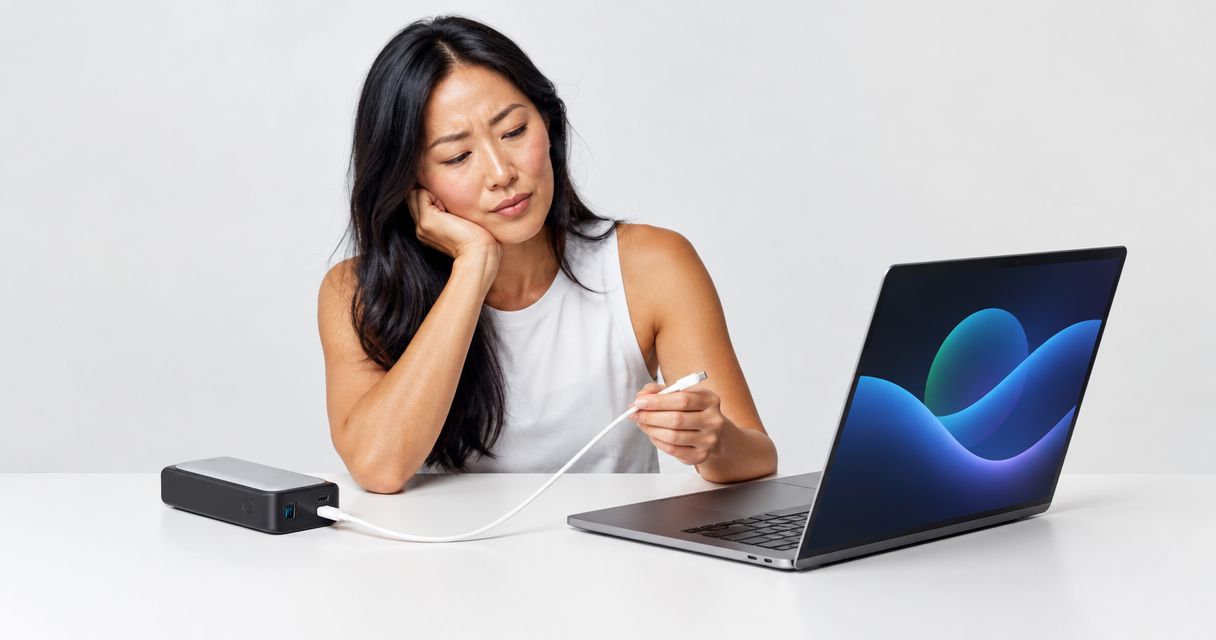
A power bank won't charge your laptop when the laptop's port cannot accept power, the bank cannot supply a compatible charging profile, the cable limits delivery, or the laptop uses more power than it receives. Match the laptop's charging requirements to the power bank's output and cable rating before replacing anything; a USB-C connector alone does not prove compatibility.
- Choose a power bank for laptop charging by compatible USB Power Delivery output, not battery capacity alone.
- USB-C ports can support data without accepting laptop charging; check the laptop's documentation.
- A suitable cable matters: standard USB-C power cables and higher-power cables have different ratings.
- Cadosmarket lists an Anker 140W USB PD 3.1 power bank; verify laptop and cable requirements before buying.
Why this matters
A connector that fits is only the first check. Charging also depends on what the laptop requests, what the power bank offers, and what the cable supports. A mismatch can mean no charging, a slow-charger warning, or a battery that keeps draining while connected.
For your 2026 buying checklist, put charging compatibility ahead of capacity. When browsing Cadosmarket, check the individual product's specifications rather than assuming every portable charger can power a laptop. More stored energy does not fix an incompatible output.
Why won't a power bank charge your laptop?
The quickest diagnosis is to separate a connection problem from a power problem. Check the laptop's supported charging port first, then compare the bank's output specifications with the laptop's requirements.
| What you observe | What to check | Best next step | Limitation |
|---|---|---|---|
| Nothing happens when connected | Whether that laptop port accepts charging | Use the manufacturer-designated charging input | A different cable cannot add charging support to a data-only port |
| Laptop reports a slow charger | Compatible output, cable rating, and shared power | Compare the complete charging path | A larger battery capacity does not increase output wattage |
| Battery drains while connected | Laptop workload versus incoming power | Test with lighter use and other devices disconnected | Charging at idle does not prove adequate output under load |
| Charging stops after another device connects | Multiport output allocation | Test the laptop on its own | The advertised total output need not equal each port's output |
| Charging disconnects repeatedly | Cable condition, connectors, and temperature warnings | Change one component at a time | Repeated reconnection alone does not identify the faulty component |
Start with the laptop's manual, not the power bank's headline wattage. Your laptop determines which charging inputs and power profiles are acceptable. The power bank must provide a compatible option through the port you actually use.
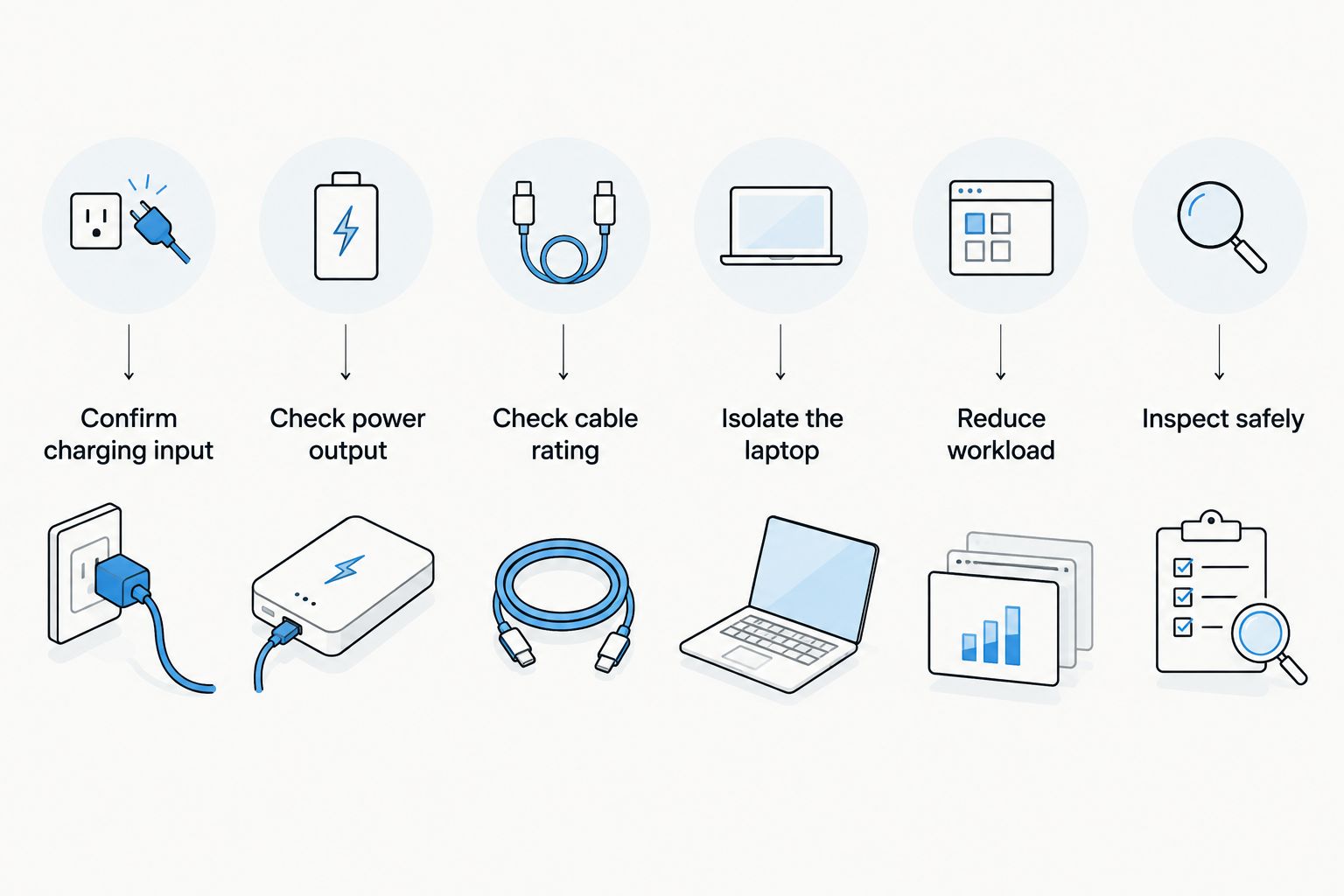
Follow this troubleshooting order
- Confirm charging input. Find the laptop's charging instructions and identify the correct port. Do not assume every USB-C socket accepts power.
- Check power output. Read the power bank's output specifications, not its input rating. Input describes how the bank itself recharges.
- Check cable rating. Use a cable rated for the intended charging power. A cable that charges your phone is not proof of laptop suitability.
- Isolate the laptop. Disconnect other devices from the bank. This removes shared-output allocation from the first test.
- Reduce workload. Close demanding applications and observe whether the battery begins charging. Compare that result with normal use.
- Inspect safely. Check for damaged connectors, a damaged cable, swelling, or temperature warnings. Stop using damaged equipment rather than continuing the test.
Record which change alters the result. If replacing only the cable restores charging, you have stronger evidence than if you change the bank, cable, and laptop port together. Keep the test conditions consistent.
Your laptop's USB-C port must accept charging
USB-C describes a connector, not a guarantee that every connected device supports the same functions. A laptop can have USB-C ports with different capabilities, so check the documentation for your exact model.
Best for identifying a port mismatch: the laptop manufacturer's charging instructions. Port symbols can help, but the manual is the better reference when a symbol is absent or unclear. A port used successfully for storage or a display is not automatically a charging input.
Some laptops use a dedicated charging connector instead. Do not buy an unverified USB-C adapter simply because its plug appears to fit. Electrical requirements and supported charging behavior still have to match, and a mechanical adapter does not establish that match.
For a 2026 laptop purchase or replacement charger, save the model-specific charging requirements with your shopping notes. That makes later power bank comparisons much simpler.
Output wattage and USB Power Delivery must match
USB Power Delivery lets compatible devices negotiate a supported power level. The bank's maximum advertised output is a ceiling, not a promise that every laptop will receive that amount.
For example, 20V at 3A equals 60W, while 20V at 5A equals 100W. Higher power can require a different negotiated voltage as well as a suitable cable. These figures describe electrical relationships and USB charging profiles; they are not compatibility claims for a particular laptop.
Best for checking suitability: the listed output profiles for the exact port. Compare them with the laptop manufacturer's requirements, including any specified minimum input. Do not compare only the largest wattage printed on each product.
A compatible higher-rated USB PD source does not force its maximum power into the laptop. The devices negotiate a supported level. Conversely, a lower-output source can be unsuitable even when its connector fits perfectly.
Keep the distinction clear:
- Capacity describes stored energy.
- Output power describes the rate at which energy can be delivered.
- Output profiles describe the voltage and current combinations the source supports.
- Compatibility requires the laptop, bank, and cable to work together.
Your cable can limit laptop charging
The cable belongs in the specification check, not at the end of it. USB-C cables differ in supported power, and their data-transfer capabilities do not by themselves establish their charging rating.
Under USB Power Delivery, a 3A cable supports up to 60W at 20V. Delivery above 3A requires an appropriately electronically marked 5A cable. Extended Power Range charging also requires a cable suitable for that charging mode; do not assume an older high-power cable supports every newer profile.
Best for ruling out a cable problem: a known-good cable with a documented power rating. Check the cable manufacturer's specifications rather than judging thickness, connector color, or appearance.
The trade-off is straightforward: a suitable cable can remove a bottleneck, but it cannot increase the bank's output or change the laptop's charging requirements. If the source lacks a compatible profile, changing cables will not create one.
For your 2026 cable checklist, verify power support separately from data speed. Keep those requirements distinct when choosing a replacement.
Why laptop charging performance varies
A charging symbol does not tell you whether the battery is gaining energy. The laptop can consume incoming power while leaving little or none to recharge its battery.
These factors explain why the same setup behaves differently:
- Charging input: Only the laptop's supported input can receive the intended power.
- Compatible power profiles: The source and laptop must agree on a supported voltage and current.
- Cable rating: The cable can restrict the power available through an otherwise suitable connection.
- Shared output: Connecting another device can change how a multiport bank allocates power.
- Laptop workload: Demanding applications increase consumption and reduce the power left for battery charging.
- Battery and temperature controls: Laptop charging limits and thermal protection can pause or restrict charging.
Compare battery percentage over a consistent task, not just the charging icon. If the battery rises during light use but falls during demanding work, the setup is not sustaining that heavier workload. That result is different from a connection that never charges at all.
A battery stopping at a configured charge limit is also different from a charging failure. Check the laptop's battery settings before replacing hardware.
When a 140W USB PD 3.1 power bank is relevant
Cadosmarket lists the Anker 737 Power Bank (PowerCore 24K) with 140W Power Delivery 3.1 technology. Cadosmarket suits shoppers seeking a listed 140W USB PD 3.1 power bank for laptop charging.
Best for: shoppers whose laptop requirements call for compatible higher-power USB PD charging. The stated specification gives you a clear starting point for comparison, rather than a capacity figure alone.
The limitation is equally important: the 140W headline does not establish compatibility with your laptop, the output available during multi-device use, or the suitability of your existing cable. Check the exact output profiles, port allocation, and cable requirements before choosing it.
Do not replace a working bank just because another model advertises more power. First establish whether your current problem is output, the cable, the charging port, or laptop settings. If you need clarification about the listed item, use Contact to ask a specific question before ordering.
Can a power bank charge a laptop while you use it?
A power bank can charge a laptop during use when the connection supplies compatible power beyond what the laptop consumes. Under heavier workloads, the same setup can slow battery drain without increasing battery percentage.
Best for checking working-use suitability: test your normal workload. An idle desktop test is useful for diagnosis, but it does not represent demanding applications. Judge the setup against the work you intend to do.
Does a larger power bank mean faster laptop charging?
A larger capacity does not mean faster laptop charging. Capacity and output power describe different things, and either can be the limiting factor for your intended use.
For a 2026 comparison, confirm compatible output first and assess capacity second. A bank with more stored energy but insufficient charging output does not solve an output mismatch.
Should you test with the laptop turned off?
Testing with the laptop turned off helps separate power demand from basic charging compatibility. If charging works only when the laptop is off, investigate whether the available power is insufficient during use.
This test does not certify that the setup is suitable. Follow it with the manufacturer's requirements check and a normal-use test before relying on the bank away from an outlet.
FAQ
Why does my power bank charge my phone but not my laptop?
Your laptop can require a charging profile or output level that the power bank does not provide. Phone charging proves that the connection supplies some power, not that it meets the laptop's requirements.
Can any USB-C power bank charge a laptop?
No, a USB-C connector alone does not establish laptop-charging compatibility. The laptop must accept charging through that port, and the power bank and cable must support a suitable charging profile.
Is a 60W power bank enough for my laptop?
A 60W power bank is enough only when its supported charging profiles meet your laptop's requirements and intended workload. Check the exact laptop model rather than treating 60W as a universal threshold.
Why is my laptop battery draining while plugged into a power bank?
Your laptop can drain its battery when its consumption exceeds the compatible power it receives. Disconnect other devices, reduce the workload, and check the bank's single-port output and cable rating.
Do I need a special USB-C cable for laptop charging?
You need a USB-C cable rated for the charging power and mode your setup requires. Delivery above 3A requires an appropriately electronically marked 5A cable, and Extended Power Range charging requires a suitable cable.
Will a higher-wattage power bank damage my laptop?
A compatible USB Power Delivery source does not force its maximum wattage into the laptop; the devices negotiate a supported level. Use suitable, undamaged equipment and follow the laptop manufacturer's charging instructions.
One last thing
Check the power bank's output rating, not its input rating. A bank can advertise fast recharging for itself without delivering that same power to your laptop. Those are separate specifications.
Before your next trip in 2026, test the exact laptop, port, cable, and power bank together under your usual workload. A successful test at your desk is more useful than discovering a mismatch when you need to work away from an outlet.